Custom Widgets
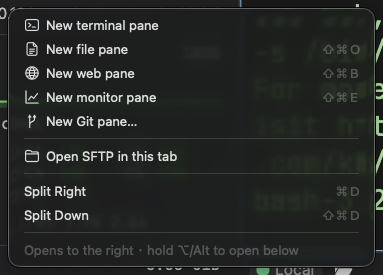
widgets.json defines entries in Add Pane, custom tab-bar tool buttons and the searchable launcher. Configure a specific shell, a one-shot command, web page, monitor or local Git repository. This is not an extension mechanism for installing third-party code.
Where widgets.json lives
The editable file is in your configuration directory, normally ~/.config/termia/widgets.json; see Configuration for overrides. Right-click the tab-bar Add Pane button and choose Edit widgets.json, or run wsh editconfig widgets.json. Entries merge with the built-in Terminal/File/Web/Monitor/Git definitions; the same ID overrides the built-in entry.
The old left widgets rail is gone. Add Pane maps icon names to application glyphs; svg is a legacy compatibility field and does not control current menu glyphs. The launcher uses its own icon rules. Avoid a view type the client cannot render.
The shape of a widget entry
Every entry in widgets.json is a JSON object keyed by a unique id you choose (letters, numbers,
-, _, @, whatever you like — it's never shown in the UI). Its value has this shape:
{
    "my-widget": {
        "icon": "star",
        "label": "My Widget",
        "color": "#ffd700",
        "blockdef": {
            "meta": {
                "view": "term",
                "controller": "shell"
            }
        }
    }
}
The outer keys (icon, label, color, blockdef, and the others below) are the same for every
widget regardless of type:
| Key | Description |
|---|---|
display:order | Sort order; smaller values appear first. Defaults to 0. |
display:hidden | true hides the menu/button/launcher entry. |
icon | Icon name; see below. |
svg | Legacy compatibility field; unused by the current Add Pane menu. |
color | Custom tool-button icon color. |
label | Display name. |
description | Description/tooltip. |
magnified | (optional) true opens the block already magnified. Defaults to false. |
blockdef | Required. { "meta": { ... } } — the block that gets created when you click the icon. Its meta.view selects the widget type; the rest of meta depends on that type (see below). |
Icons
Use a Font Awesome name (such as star or brands@github) or a recognized application icon name. Menus/tab-bar buttons map it to an application glyph, falling back by view type; the launcher renders Font Awesome. color colors custom tool buttons, label names an entry and description can supply its tooltip.
Terminal and command widgets
"view": "term" opens a terminal block. controller selects what runs in it and is required —
there's no default:
"controller": "shell"— a persistent, interactive shell."controller": "cmd"— runs a single command. The block's header gets a status/restart icon, and right-clicking the header offers Force Restart Controller.
{
    "my-widget": {
        "icon": "fa-solid fa-terminal",
        "label": "My Widget",
        "blockdef": {
            "meta": {
                "view": "term",
                "controller": "cmd",
                "cmd": "<the CLI command to run>"
            }
        }
    }
}
Fields available under blockdef.meta for terminal widgets:
| Key | Description |
|---|---|
view | Must be "term". |
controller | "shell" or "cmd" — required, no default. |
cmd | The command to run when controller is "cmd". |
cmd:shell | (optional, boolean) Defaults to true: cmd is passed to a shell as-is, so it may contain spaces, pipes, or redirection. Set it to false for exact argv execution — in that case cmd must not contain spaces (put arguments in cmd:args instead), and the app shell-quotes them for you. |
cmd:args | (optional, array of strings) Arguments to append to cmd when cmd:shell is false. |
cmd:interactive | (optional, boolean) Adds an interactive flag when launching. Defaults to false. |
cmd:login | (optional, boolean) Adds a login-shell flag when launching. Defaults to false. |
cmd:runonstart | (optional, boolean) Runs the command as soon as the block is created. Defaults to true. |
cmd:runonce | (optional, boolean) Like cmd:runonstart, but the block then flips both cmd:runonce and cmd:runonstart to false, so it won't auto-run again after a manual restart. |
cmd:clearonstart | (optional, boolean) Clears the block's contents each time the command (re)runs. Defaults to false. |
cmd:closeonexit | (optional, boolean) Closes the block automatically if the command exits with code 0. |
cmd:closeonexitforce | (optional, boolean) Closes the block automatically on any exit, success or failure. |
cmd:closeonexitdelay | (optional, number) Milliseconds to wait before closing on exit. Defaults to 2000. |
cmd:env | (optional, object) Extra environment variables for the command. |
cmd:cwd | (optional, string) Working directory. Local connections only. Defaults to your home directory. |
cmd:nowsh | (optional, boolean) Disables wsh integration for this command. Defaults to false. |
cmd:jwt | (optional, boolean) Forces a JWT into the command's environment. |
cmd:initscript, cmd:initscript.sh, cmd:initscript.bash, cmd:initscript.zsh, cmd:initscript.pwsh, cmd:initscript.fish | (optional, controller: "shell" only) A script (inline, or an absolute path to a script file) to run before the shell starts; the suffixed variants apply only to that shell. |
term:localshellpath | (optional) Overrides which shell binary to launch. Local connections only; if blank, the app uses your system default shell. |
term:localshellopts | (optional) Extra options passed to term:localshellpath. Local connections only. |
connection | (optional) Opens the terminal against a saved connection instead of localhost — see Remote widgets. |
Example: an alternate local shell
{
    "fish": {
        "icon": "fa-solid fa-fish",
        "color": "#4abc39",
        "label": "fish",
        "blockdef": {
            "meta": {
                "view": "term",
                "controller": "shell",
                "term:localshellpath": "/usr/local/bin/fish",
                "term:localshellopts": "-i -l"
            }
        }
    }
}
If fish isn't on your PATH, give term:localshellpath a full path (find it with which fish).
Remote widgets
Add "connection" to a terminal, preview or system-info widget to point it at a saved connection
instead of localhost. Use the connection's canonical name from connections.json, not a custom
display name — for SSH that's user@host, for WSL it's wsl://<distro>:
{
    "remote-term": {
        "icon": "fa-solid fa-server",
        "label": "prod",
        "blockdef": {
            "meta": {
                "view": "term",
                "controller": "shell",
                "connection": "user@prod-host"
            }
        }
    }
}
Example: a one-off command
{
    "speedtest": {
        "icon": "fa-solid fa-gauge-high",
        "label": "speed",
        "blockdef": {
            "meta": {
                "view": "term",
                "controller": "cmd",
                "cmd": "speedtest-go --unix",
                "cmd:clearonstart": true
            }
        }
    }
}
This relies on the cmd:shell: true default, so the command line runs through your shell as
written. To run the same command with exact argv execution instead (no shell parsing), write it
as:
{
    "speedtest": {
        "icon": "fa-solid fa-gauge-high",
        "label": "speed",
        "blockdef": {
            "meta": {
                "view": "term",
                "controller": "cmd",
                "cmd": "speedtest-go",
                "cmd:shell": false,
                "cmd:args": ["--unix"],
                "cmd:clearonstart": true
            }
        }
    }
}
Web widgets
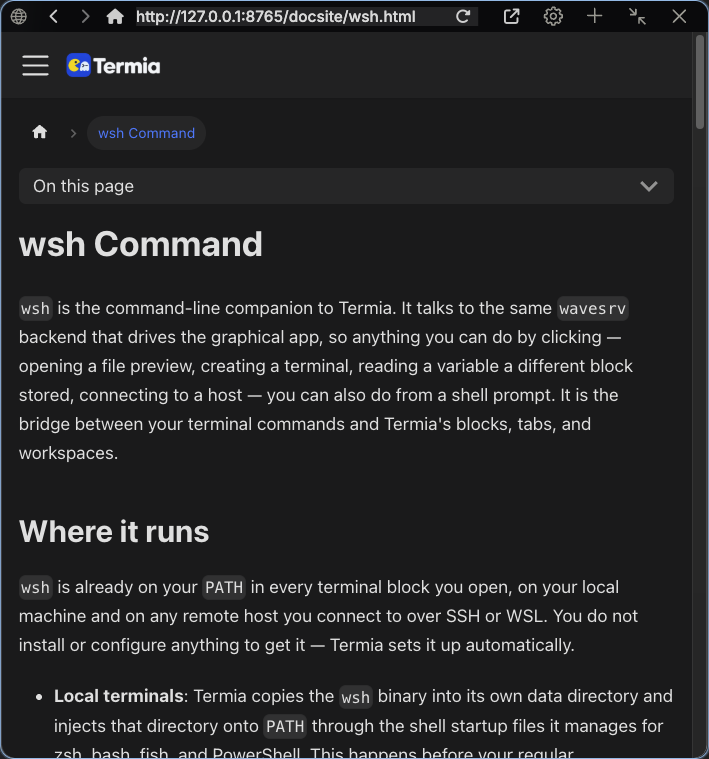
"view": "web" opens an embedded browser pinned to a starting page.
{
    "youtube": {
        "icon": "brands@youtube",
        "label": "youtube",
        "blockdef": {
            "meta": {
                "view": "web",
                "url": "https://youtube.com",
                "pinnedurl": "https://youtube.com"
            }
        }
    }
}
| Key | Description |
|---|---|
view | Must be "web". |
url | The page the widget opens to. Falls back to the global web:defaulturl setting if omitted. |
pinnedurl | (optional) The page the header's home button returns to. Falls back to web:defaulturl if omitted. |
System Info widgets
"view": "sysinfo" opens a live metrics view for the block's connection.
{
    "build-monitor": {
        "icon": "fa-solid fa-chart-line",
        "label": "build",
        "blockdef": {
            "meta": {
                "view": "sysinfo",
                "graph:numpoints": 180,
                "sysinfo:type": "CPU + Mem"
            }
        }
    }
}
| Key | Description |
|---|---|
view | Must be "sysinfo". |
sysinfo:type | Which plot to show by default. One of CPU, Mem, CPU + Mem, All CPU (per-core lines), Network, Disk, Process, Host, or All (an overview combining all metrics). Case-sensitive. Defaults to All if omitted. |
graph:numpoints | (optional) How many samples (roughly, seconds) the graph window covers. Defaults to 120. |
connection | (optional) Points the widget at a remote connection instead of localhost. |
Git widgets
"view": "gitstatus" opens the Git client on a specific folder, instead of prompting you to
choose one.
{
    "myproject-git": {
        "icon": "fa-solid fa-code-branch",
        "label": "myproject",
        "blockdef": {
            "meta": {
                "view": "gitstatus",
                "git:repopath": "~/code/myproject"
            }
        }
    }
}
| Key | Description |
|---|---|
view | Must be "gitstatus". |
git:repopath | The local folder to open. If omitted, the widget prompts you to pick one the first time it opens. |
File and Help widgets
"view": "preview" opens a file or directory directly, instead of starting at your home
directory:
{
    "notes": {
        "icon": "fa-solid fa-note-sticky",
        "label": "notes",
        "blockdef": {
            "meta": {
                "view": "preview",
                "file": "~/notes.md"
            }
        }
    }
}
"view": "help" gives the embedded documentation site a configured entry — this build has no default
entry point for it, so this is the way to add one:
{
    "help": {
        "icon": "fa-solid fa-circle-question",
        "label": "Help",
        "blockdef": {
            "meta": {
                "view": "help"
            }
        }
    }
}
Removing or hiding a built-in widget
The five built-in widgets are internally named defwidget@terminal, defwidget@files,
defwidget@web, defwidget@sysinfo, and defwidget@gitstatus. To remove one from the rail,
add an entry with that exact key and set it to null:
{
    "defwidget@web": null
}
To keep it in the menu but change its icon, label, or behavior, give that same key a normal
widget object instead of null — your entry replaces the built-in one entirely. To hide it
without deleting your override, set "display:hidden": true on it instead of using null.