Termia Agent
TT Agent is Termia's built-in shell assistant. Its runtime ships with the application. It takes over one terminal pane, uses its connection and working-directory context, and returns that pane to the shell when it exits. It can inspect logs, run commands and modify files through shell tools. Review proposed commands and results, especially before changing a production host.
Built-in Agent runtime
The installation includes TT Agent's gen.mjs runtime and its configuration. You do not need to install a separate Agent CLI or configure a CLI path. Choose a provider and model in the AI settings. Node.js is resolved from the bundled executable or system PATH.
Starting and stopping
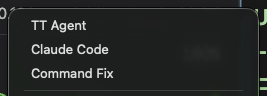
Click Termia Agent / TT Agent in the terminal mode controls, or type:
tt
tt "Explain why this service is failing"
tt --resume
tt --resume <session-id>
tt "<prompt>" starts an interactive Agent session with an initial prompt. It does not run a headless one-shot task or automatically enable unrestricted execution. Resume restores an Agent conversation; it does not reattach a remote shell process or restart a completed command.
Type exit, press Ctrl+D, or switch back to Terminal to leave Agent mode. If a foreground program owns the terminal, close it normally or complete its save prompt before switching modes. A startup failure is printed into the terminal and the shell is restored.
Local and remote mode
The Agent runtime always runs on your desktop. On an SSH or WSL connection, shell execution is routed through Termia's existing wsh/RPC connection to the target machine. The remote host does not need the Agent runtime or Node.js installed, but wsh must be enabled and working. Starting a remote Agent may first connect or install the helper.
Closing the app stops the local Agent runtime. For remote jobs that must survive a disconnected desktop, deliberately run them in tmux/screen or another durable job service. Termia does not provide a hosted background Agent runner.
Choosing a provider and model
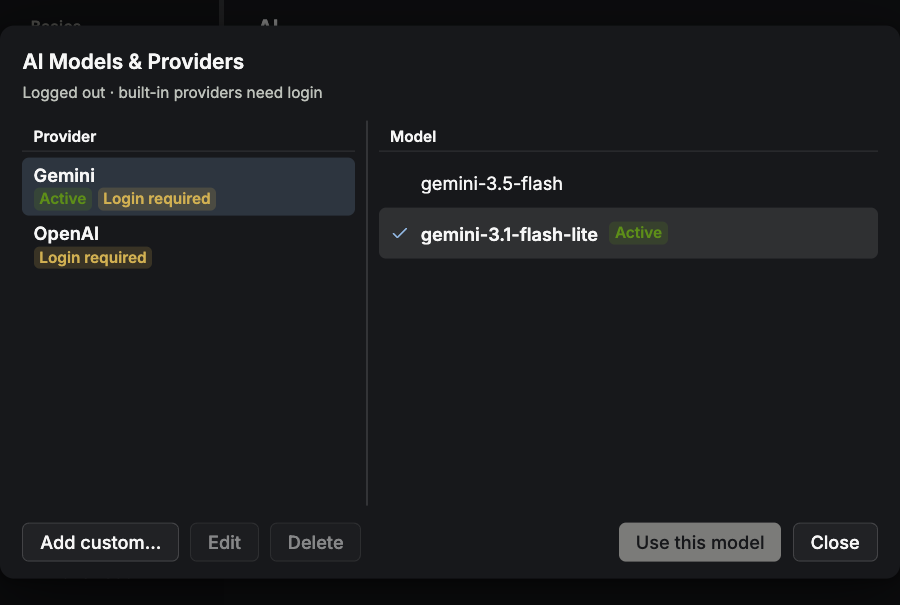
Open Settings → AI → Manage providers & models…. Model selection is shared across TT Agent sessions, rather than set independently for each pane. Changing the active provider/model or its credentials restarts running TT Agents with the new configuration; finish or pause an operation before switching.
Your own provider (BYOK)
Add a custom OpenAI-compatible provider with a name, API base URL, API key and model IDs. Use the model-fetch/probe action if the endpoint exposes a model list. Select the saved provider/model to activate it. A local endpoint may accept a placeholder key if it does not require authentication.
BYOK works without a Termia account. Requests go to the configured endpoint. Built-in providers require a configured Termia service and sign-in; a source build does not include a free model service. Cloud sync is unrelated to custom-provider use.
Custom providers can be edited or removed. Removing the active provider may select the built-in default; if you are signed out, select another custom provider before starting a new Agent.
Context and command correction
Snippets and notes bound to a pane can supply Agent context. Environment-variable bindings affect the terminal environment. Binding scopes are global and per-pane; they are not automatic host/group-specific runbooks.
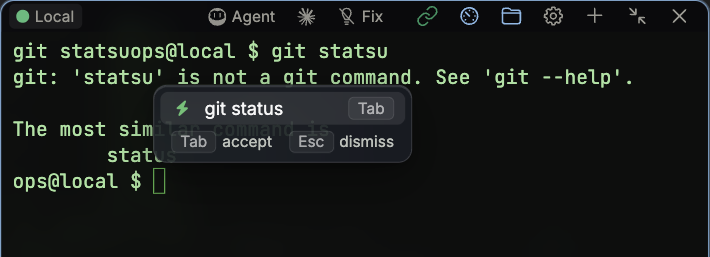
The separate command correction switch watches failed shell commands and offers a correction from tool output, personal repair history, rules or AI. Insert a suggestion to review it at the prompt, then run it yourself, or dismiss it. It is not proactive incident monitoring or input-time shell completion.
Other coding CLIs
Claude Code, Codex, Gemini and other tools can be installed and run as terminal programs. They are separate runtimes with their own authentication, approvals and session behavior. Selecting a TT Agent model does not configure all of them.
Troubleshooting
- Built-in model unavailable while signed out: sign in or select a custom provider.
- Authentication/model-list request fails: check the API key and API URL, not the provider's website URL.
- Remote commands fail: verify SSH and wsh first; a plain SSH shell can work even when the helper is disabled.
- Agent cannot start: check that the installation contains
bin/gen.mjsand that Node.js is available from the bundled executable or systemPATH. For a source build, runtask copy:gen-clibefore packaging.