Vaults Sync and Versioning
Termia saves library data locally. Optional cloud sync, local Git history and ZIP import/export are independent mechanisms; none is automatically a full backup of credentials and working state.
Signing in and out
Start sign-in from the tab-bar avatar → Settings → Sync → Account. Termia opens the configured service in your system browser and receives the completed session through a local callback. You can cancel while waiting or retry a failure/timeout. Terminals, local hosts and BYOK need no account in a source build; cloud and built-in model services need a configured service.
Signing out keeps local data by default. When cloud sync is enabled, choosing local cleanup removes the library files, including hosts and the master key, after cloud-copy verification. Read the confirmation and choose to keep local data if you need it. Built-in-provider TT Agents stop when you sign out; BYOK sessions do not depend on the platform account.
Current cloud-sync scope
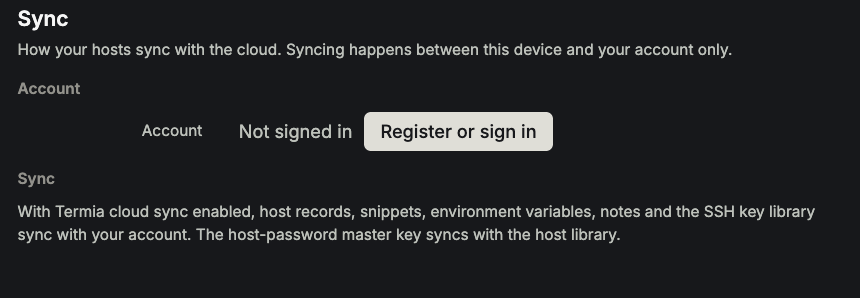
Open Settings → Sync, or the host-library sync status to enable sync, auto-sync and its interval, or sync manually. Status includes recent success/failure times, errors and affected files. Sync is between this device and your own account.
| Data | Current behavior |
|---|---|
| Snippets, environment variables and notes | Can sync; inspect content and variable values for secrets first. |
SSH key library keys.yaml | Syncs sealed under its separate passphrase; another device still needs that passphrase to unlock it. |
Hosts hosts.yaml | Syncs saved host records, including encrypted passwords, across your signed-in devices. |
Master key master.key | Syncs with the host library so another device can read its encrypted passwords. |
| Preferences, full workspaces, context bindings, model API keys | Outside this library-sync mechanism. |
Host and master-key synchronization uses the existing account service. The master key follows the cloud version before host files are synchronized. A user-initiated key change uploads the new key before synchronizing the re-encrypted host library.
Conflicts and failures
Files are compared to their last common version and merged item by item when possible. Different edits to the same item create a conflict. The UI lists conflict counts and files, but does not yet offer keep-local, use-cloud or manual merge controls. Retrying can fix a network failure, not decide which conflicting content should win. Preserve both versions and avoid changing both devices repeatedly in an attempt to force a winner.
Host password security
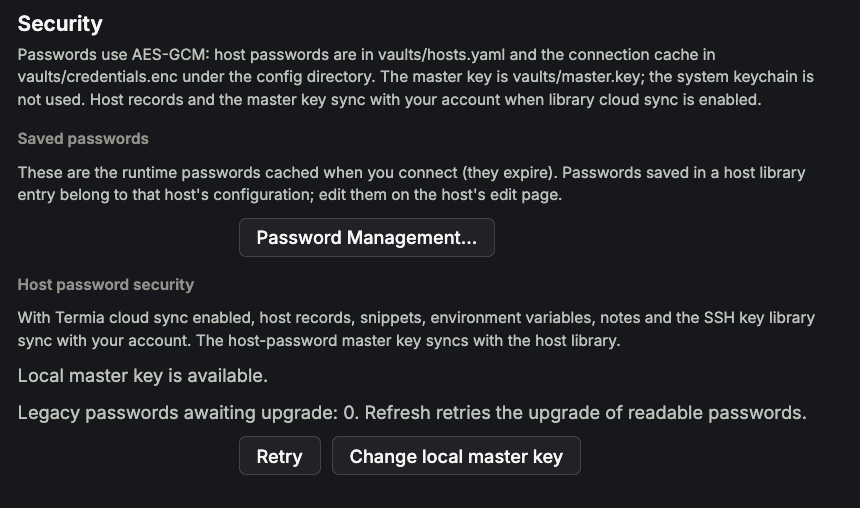
In both clients, Settings → Security → Host password security shows local master-key status, legacy passwords awaiting upgrade and unreadable-password counts. Refresh/Retry rechecks them and attempts upgrades. New saves use versioned authenticated encryption with random nonces. Legacy values decryptable with the current local master key are upgraded; unreadable ciphertext is preserved with a warning.
The host editor does not reveal a stored password. A blank field retains it; restore the original master key or re-enter the host password if it is unreadable. Changing host identity or rotating the master key is refused while an unreadable credential could be lost or rewritten.
Change local master key re-encrypts readable host passwords after confirmation. It is separate from the SSH key-store passphrase and cannot recover a lost old master key. master.key lives under the local configuration directory's vaults folder with owner-only read/write permissions; this is not a replacement for system keychain or disk protection when the local filesystem is accessible.
Upgrade both clients together
Before the first launch of this release, back up the full local data and configuration directories, including vaults/hosts.yaml and vaults/master.key, while both clients are closed. Upgrade Electron and native macOS together. Once a profile has migrated to password format v2, do not open it in an older client: older versions cannot read v2 and can remove credentials they consider unreadable. For a downgrade, restore a backup made before migration into a separate profile; retain the upgraded profile as well. A ZIP export alone does not include the master key and is not sufficient for this rollback.
Local Git history
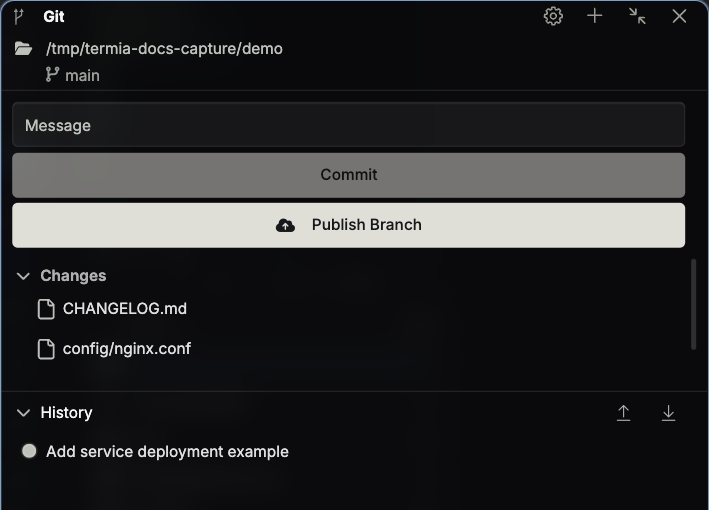
Open the Vaults Git / Sync and versions page, initialize a repository and deliberately commit checkpoints. Git uses the desktop's system Git and its credentials. Both this library repository and ordinary Git panes operate locally, not on a connected server.
Electron offers staging/unstaging, diffs, discard, commits, history and push/pull. The native Mac library-history panel offers initialization, commit-all, set-remote, push/pull and commit records. Use a shell for branches, restoring old commits and complex merge conflicts.
Before library repository operations, Termia adds ignore rules and untracks master.key, keys.yaml and .sync-base/ to stop future commits. It does not remove existing commits or pushed history. Do not publish repositories containing passwords, secret variables or operational notes. If a key was exposed, ignoring it does not undo exposure: handle the remote history and rotate credentials.
ZIP import and export
Export in the library More menu includes four files only: hosts.yml, snippet.yml, envvars.yml and notebook.yml. It excludes the master key, SSH key store, bindings, settings and workspaces, so it is not a complete backup.
Import adds or updates by item ID without deleting local-only entries. Matching IDs can be updated from the import, so export the existing resources first if you need a checkpoint. Check the reported added/updated counts and errors afterward; one category can succeed while another fails.
Exported host passwords retain their original ciphertext. Importing on another machine without the corresponding local master key cannot decrypt them; re-enter passwords or migrate credentials separately and securely. Do not treat the ZIP as a guaranteed restore of working logins or upload it publicly.